
The Strive puck · In development
You lift.
Strive logs.
Put your phone down between sets.
The Strive puck records your reps and sets as you lift. Follow your routine and the recommended weight, and there’s nothing to enter between sets.
Meet the puck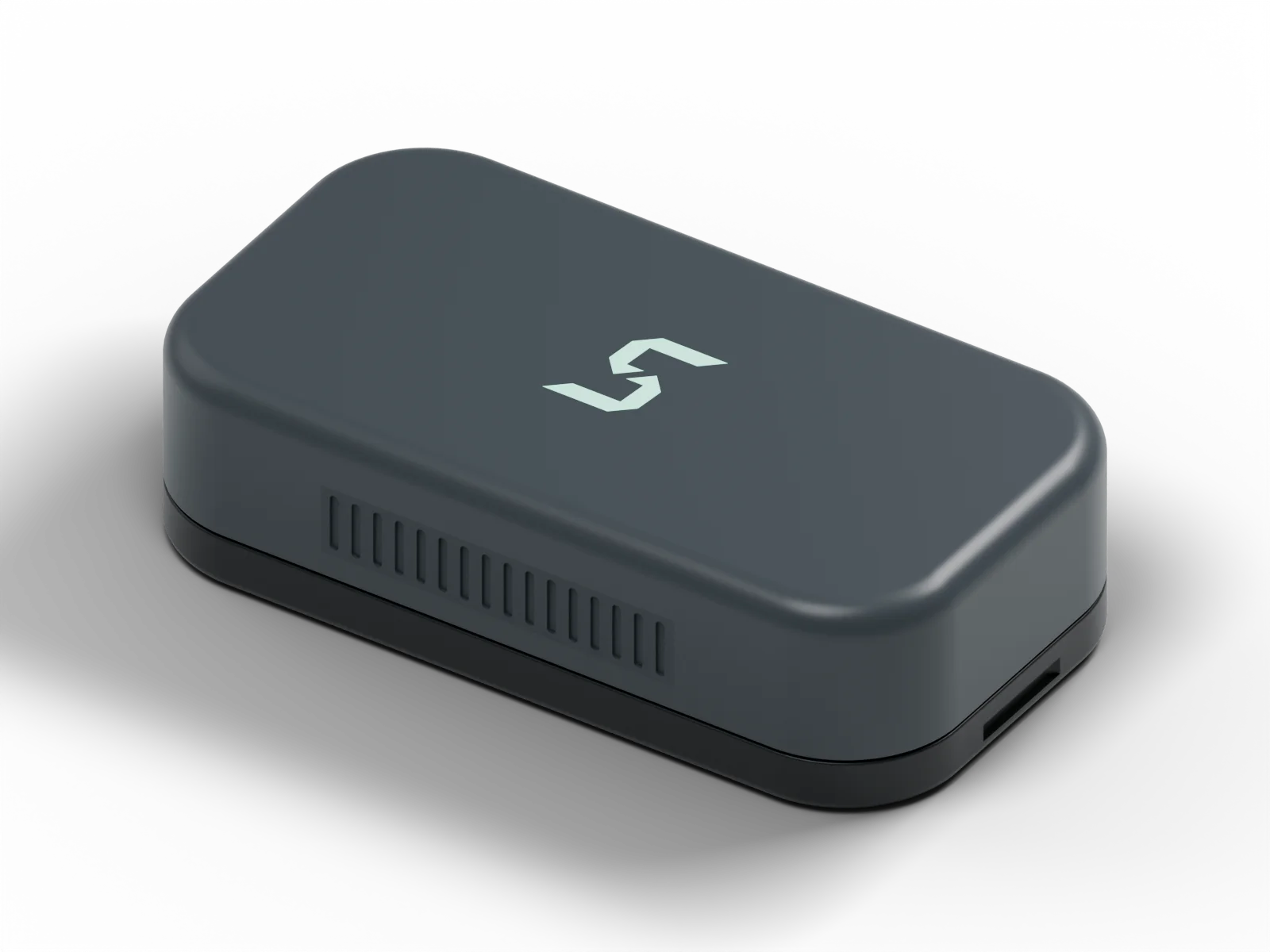
Your routine, already loaded.
Reps and sets logged automatically.
Rep speed you can look back on.
One puck for almost every lift.
From your first set to your last
Phone down.
Next set.
Your routine already knows what’s next. You shouldn’t have to keep telling your log.
Start your routine in Strive. Your exercises and recommended weights are already there. Follow the plan, and the puck records your reps and saves your sets as you go.
Rest, get ready, and lift again. You can leave your phone alone between sets and come back to a record of the work you put in.
It goes where the work is: on your wrist for dumbbells and cables, stuck magnetically to the bar or machine for barbell and machine lifts, and on a small magnetic plate under your shirt for bodyweight moves. The strap and plate come in the box, so one puck covers almost every lift.
- 01
Start your routine
Your exercises and recommended weights are ready.
- 02
Work through your sets
Use the recommended weight. Strive handles the logging.
- 03
See the work you put in
Your reps and sets are saved, with rep speed to show how they moved.
The puck and app are in development. Launch features are still being tested.
Beyond weight × reps
Five reps on paper.
A different story
under the bar.
You know when the last rep feels slower. Strive gives you the rep speed behind that feeling, so you can see where the set started to slow down.
That detail is recorded while you lift. Look back after training and see how the set went, rep by rep.
Strive also uses that slowdown to suggest the weight for your next set.
What bar speed can tell youOne set. Five reps.
Example dataTraining notes
Know what you’re
looking at.
Plain explanations of bar speed and the research behind it. Start here if the numbers are new to you.
What velocity-based training actually tells you
What bar speed adds to a training log, and where the numbers need context.
02Bar speed: what does that number mean?
Meters per second, mean versus peak, and why your own baseline matters.
03How much did your set slow down?
A simple calculation for the slowdown within a set, with a calculator to try it.
A few things you might ask
Before you
join the list.
What is the Strive puck?
A small strength training sensor that connects to the Strive app and logs your reps and sets as you lift. Follow your routine and the recommended weight, and it has the exercise and weight ready too. You get a workout log with rep speed data, without typing in each set.
Do I have to log anything between sets?
If you’re following your routine and using Strive’s recommended weight, you don’t need to select exercises, enter weights, or log reps between sets. Start the routine and lift. If you switch exercises or use a different weight than recommended, update that in the app so your log matches your workout.
What lifts does it work with?
Almost everything you do in the gym. The puck comes with a wrist strap and a small magnetic plate, and that’s the whole kit. Wear it on your wrist for dumbbells and cables, stick it straight onto the bar or machine for barbell and machine work (it’s magnetic), and for bodyweight moves it sticks to the plate worn under your shirt. There’s nothing else to buy or attach.
When can I get one, and what will it cost?
The puck is in development. Price and a release date haven’t been announced. Join the waitlist and we’ll email you when there’s news.
What happens when I join the waitlist?
You’ll get emails about the puck, product progress, and launch plans. Joining is free and doesn’t commit you to buying anything. You can unsubscribe from any email.
Waitlist open
Let your workout
log itself.
Join the Strive waitlist. We’ll let you know when the puck is ready for your routine.